Like many of the 2013 manual-transmission owners, I have found HSA to be a nuisance that interferes with the smooth operation of the vehicle. Unlike Hill-Assist implementations in other cars, which can be turned on or off, there is no way to disable this feature on the Camaro without modification to the vehicle.
My method of disabling HSA, was to replace the Yaw-Sensor, with the part number used for the Automatic Camaros. This sensor does not have the longitudinal-accelerometer that triggers HSA. After installation, the car had no warning lights or warning messages. HSA no longer activates, nor does the Hill Start message ever appear.
Special thanks to MPHS_AGM for some key-info on HSA functionality, and to OzzySS for specifics on the sensor location. Also thanks to jtzako for his guide on PDIM + USB Port installation, as I followed this guide for center console disassembly.
Disclaimer: As with all modifications and DIY articles, perform any modifications to your car at your own risk. The author assumes no responsibility for your actions.
Parts Used
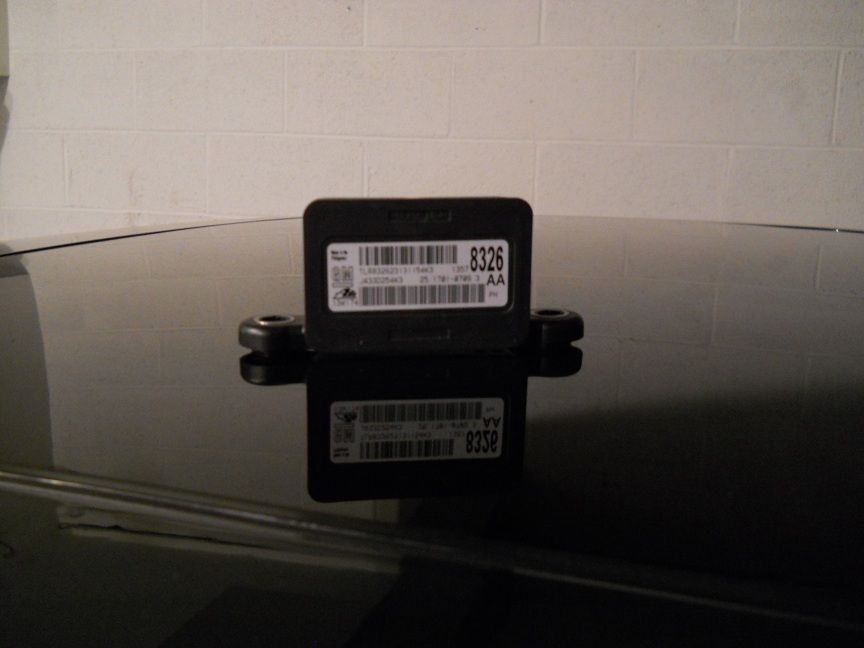
GM Part# 13578326 - Yaw Sensor without Longitudinal Accelerometer
 Tools Used
- 7mm Socket
- 10mm Socket
- Phillips Screwdriver
- Small Flathead Screwdriver
Step 1 - Remove the center Console
As mentioned, I followed jtzako's excellent guide for removing the center console.
http://www.camaro5.com/forums/showthread.php?t=77662
Removal is the same for manual-equipped Camaros.
Step 2 - Remove and Replace the Yaw-Sensor
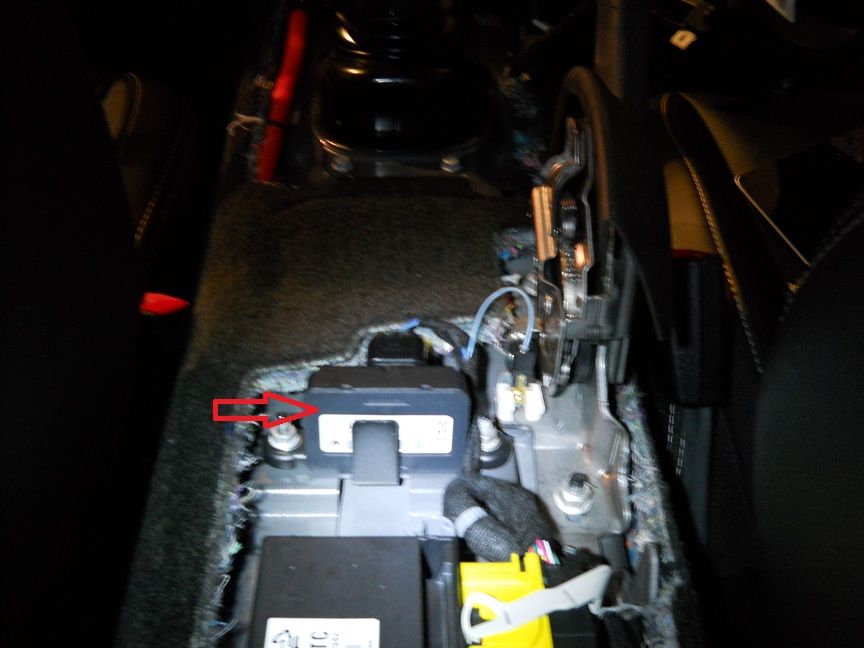
Once the console is removed, the yaw-sensor can be located to the left of the emergency-brake. Simply remove and replace this unit with GM Part# 13578326 using a 10mm socket.
Put everything back together, and you're done. No more Hill-Nanny!